The short version
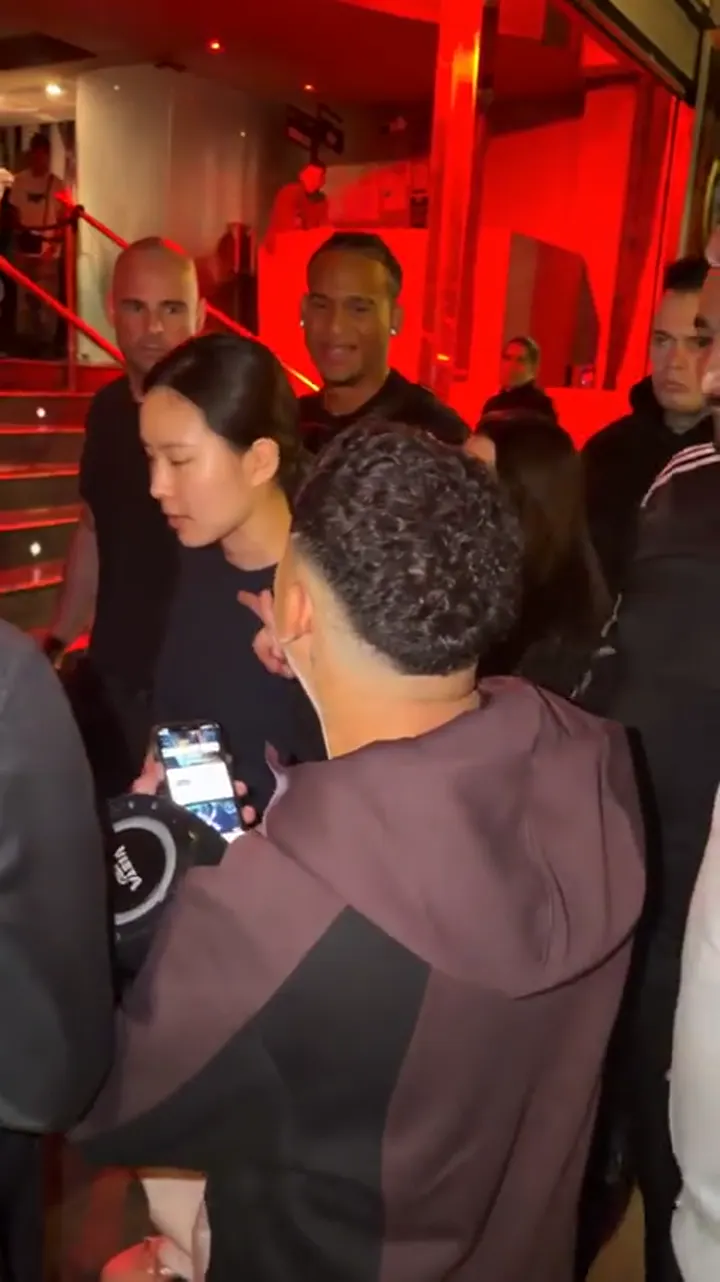
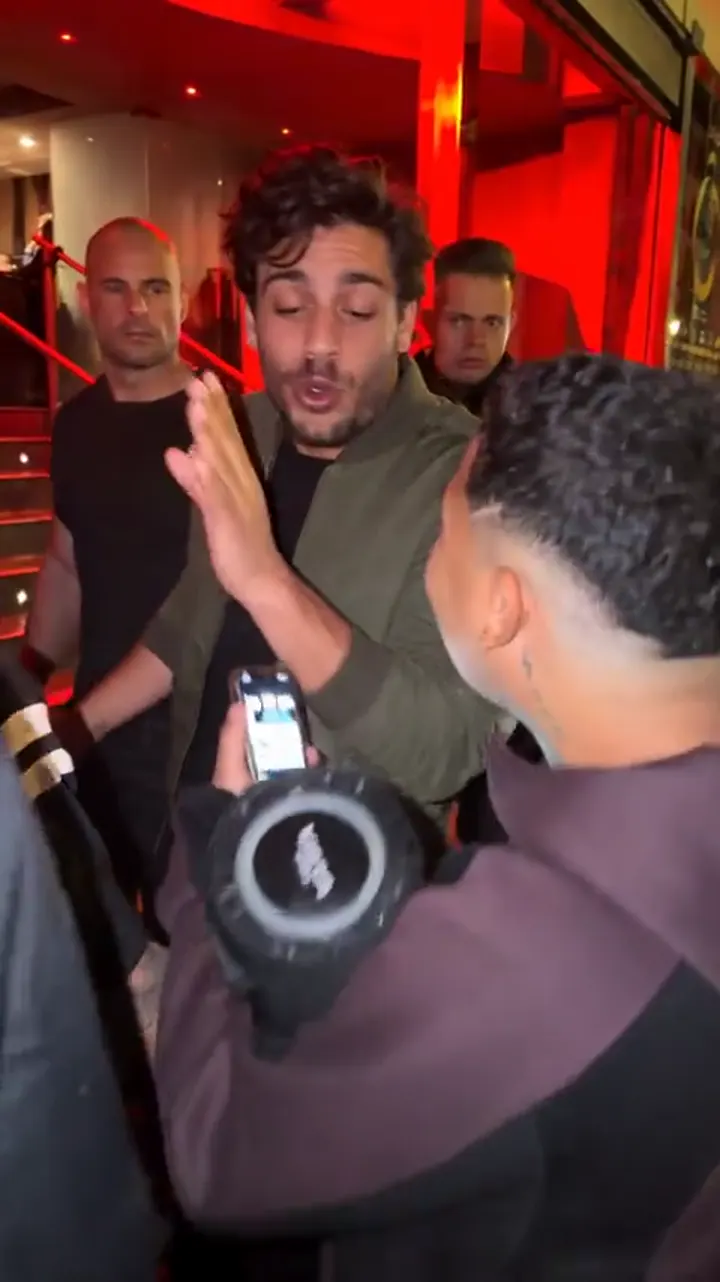
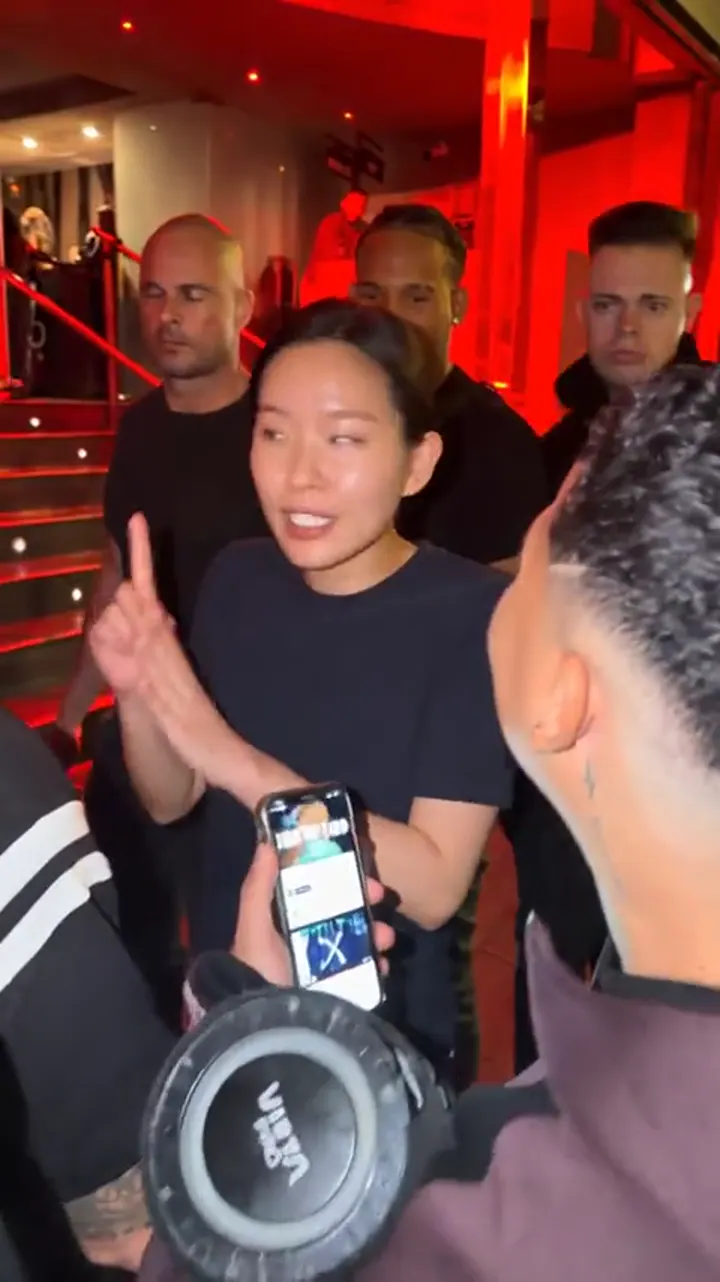
A prompt describes a scene in words and the AI invents the video. That is great for a new scene, but the Bulin 47 trend is about one specific scene: the same crowd, the same handheld camera and the same red light, with a different person in the lead.
With a prompt you get something in the same spirit, never the same clip. With the generator on this page you upload one photo and only the lead performer is replaced, so the rest of the scene stays as it was filmed.
What a good prompt covers
Whatever tool you use, the prompts that work best are short and concrete. Cover these six things, in this order:
- Subject: who is in the center, in plain words (for example, a person performing with energetic hand gestures).
- Scene: where it happens (a street at night, a crowd packed around a restaurant entrance).
- Camera: how it is filmed (handheld, vertical 9:16, close to the performer, slight movement).
- Lighting: the look (strong red light, warm shadows, night street).
- Motion: what moves (the performer gestures, the crowd reacts, a friend holds a portable speaker).
- Limits: what to avoid (no text, no captions, no logos, no watermark).
An example prompt you can adapt
Street freestyle at night outside a restaurant entrance, a crowd packed around a performer in the center, strong red lighting, handheld vertical camera, 9:16, 10 seconds, the performer gestures energetically while a friend holds a portable speaker, realistic, no text, no captions, no watermark.
Change the subject line to match the person you want. Keep everything else the same so you can compare results between attempts.
Tips for CapCut, Dreamina and similar tools
Names, menus and prices of AI video apps change often, so check what your version offers. These habits help in almost any of them:
- Use an image reference if the tool offers one. A photo of the person usually keeps the face closer than words alone.
- Keep one action per prompt. Long lists of actions tend to get ignored or blended.
- Generate several versions and keep the best one. The first result is rarely the final one.
- Pick vertical 9:16 from the start so you do not crop later.
- Check the output length and resolution limits for your plan before you plan the edit.
- Expect no audio, or generated audio you may not be allowed to use. Add a sound from the platform where you post.
Where prompts fall short
- The scene will not match the original. The crowd, the venue and the camera path are invented, so it looks like a similar video, not the trend clip.
- Faces drift. Even with a reference, the face can change between frames, especially during fast head turns.
- Each try costs time or credits. Getting something you like can take many attempts.
- Hands and small details are hit and miss, which is common in AI video.
- You still have to edit: trimming, cropping and adding sound.
Prompt versus one photo
Here is how the two approaches compare for this specific trend:
- Prompt in an AI video tool: full creative control, any scene you can describe, many attempts, results vary and rarely match the original clip.
- One photo in the generator on this page: no prompt to write, the original crowd and camera stay, a 10-second 9:16 MP4 in a few minutes, but only this one scene.
Use real people, with permission
In any tool, use a photo of yourself or of an adult who agreed. Do not use celebrities or public figures, and never use photos of minors. On this site, use a photo of a real adult — yourself or someone who agreed.
When you post, switch on the AI-generated content label on TikTok, Reels or Shorts. It keeps things honest and avoids trouble with platform rules.
From idea to finished clip
- Decide the single thing you want to see, such as a person performing in the middle of the crowd.
- Write the six-part prompt above and generate two or three versions.
- Pick the best one and trim it to the moment that works.
- Add a sound from the platform where you will post it.
- Label it as AI-generated and share it.
Common questions
- Do I need to write the prompt in English? Most tools understand several languages, but short English prompts often give the most predictable results.
- Can I paste a long prompt? You can, but shorter is usually better. Tools tend to follow the first lines most closely.
- Why does my result look nothing like the trend? A prompt never has the original footage, so the crowd and camera are invented. For the real scene, use a photo in the generator.
- Can I reuse the same prompt with different people? Yes. Change only the subject line and keep the rest, so you can compare the results fairly.
Which should you choose?
- You love experimenting and have time: write prompts in the tool you already use.
- You want the exact Bulin 47 scene with you in it: use the generator at the top of this page.
- You want both: make a prompt-based clip for variety and the one-photo version for the classic look, then post them as a pair.
Unofficial fan tool. Not affiliated with Bulin 47, Kevin Wai, their label or TikTok. All trademarks belong to their owners.